Inside a Focusrite Partner Studio in London
A Focusrite partner studio means one thing: the room is built around Focusrite gear, Focusrite recognises it officially, and artists book it knowing they're recording on equipment that works the same way across thousands of professional studios worldwide. You arrive with stems that were recorded on a Scarlett in a bedroom somewhere, and you can continue that workflow without re-learning the interface or discovering mid-session that nothing talks to anything else. That consistency saves time. It matters when you are paying by the hour.
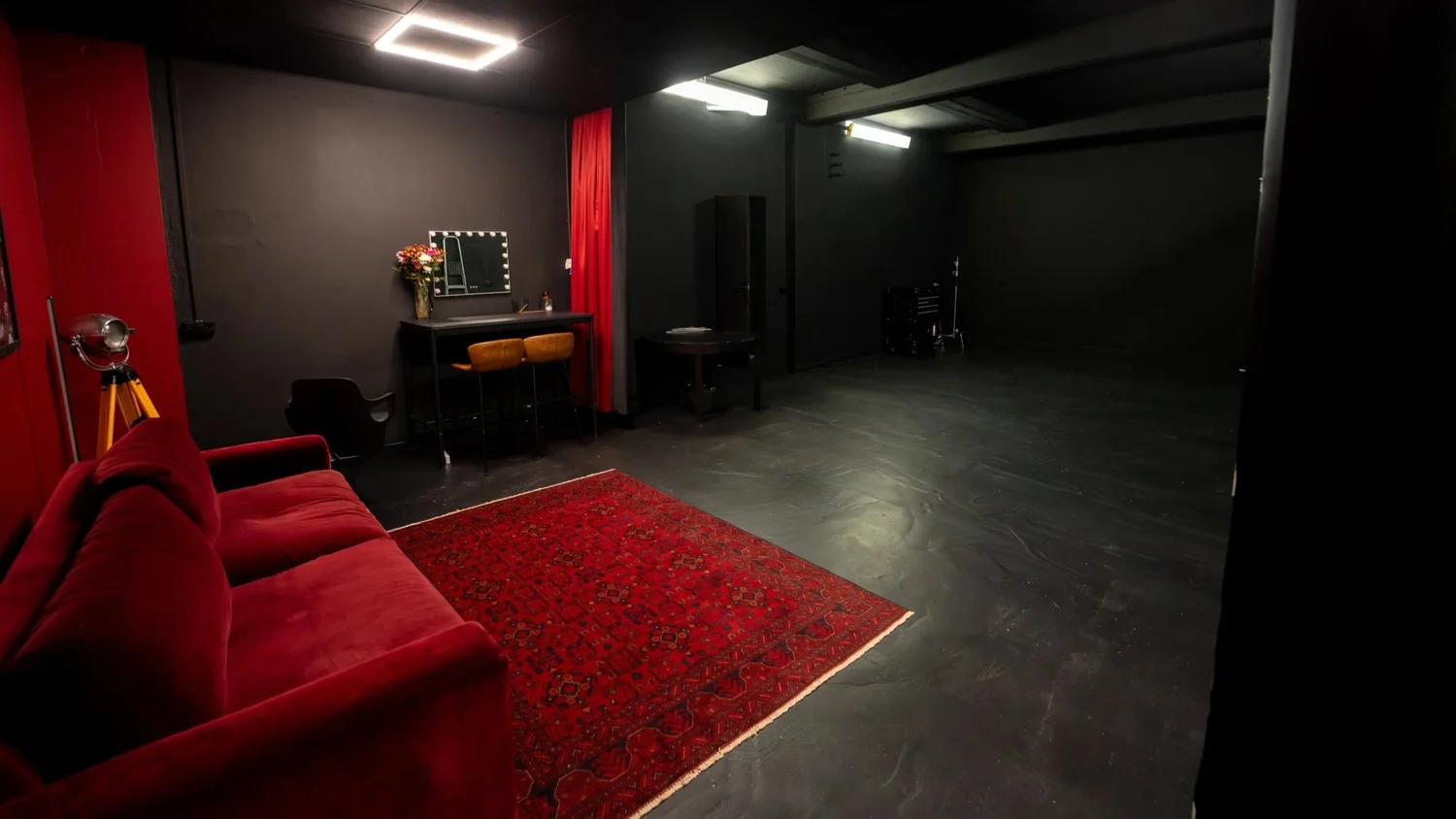
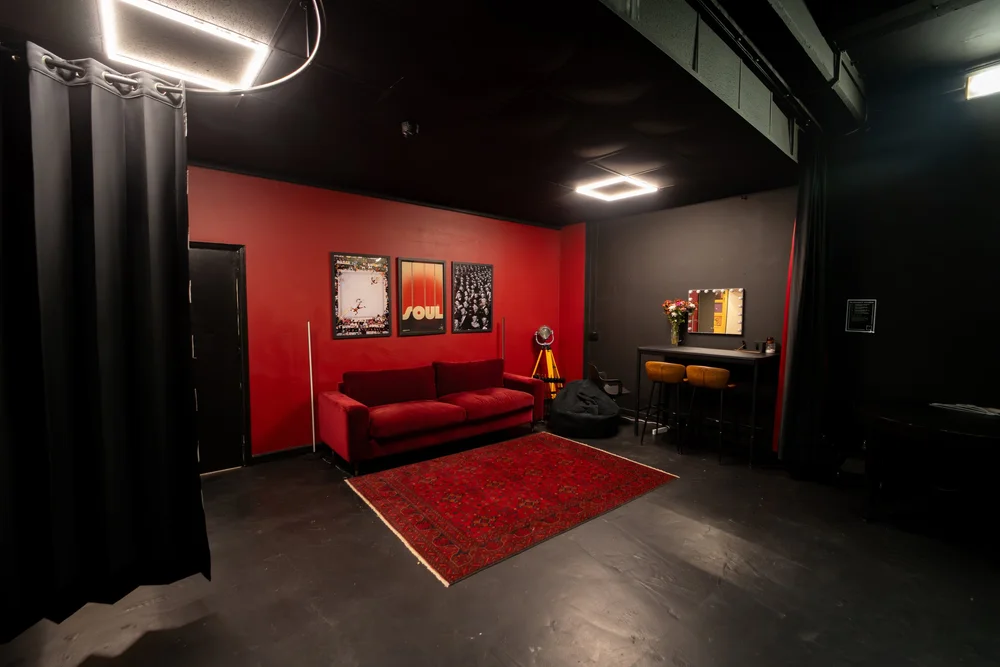
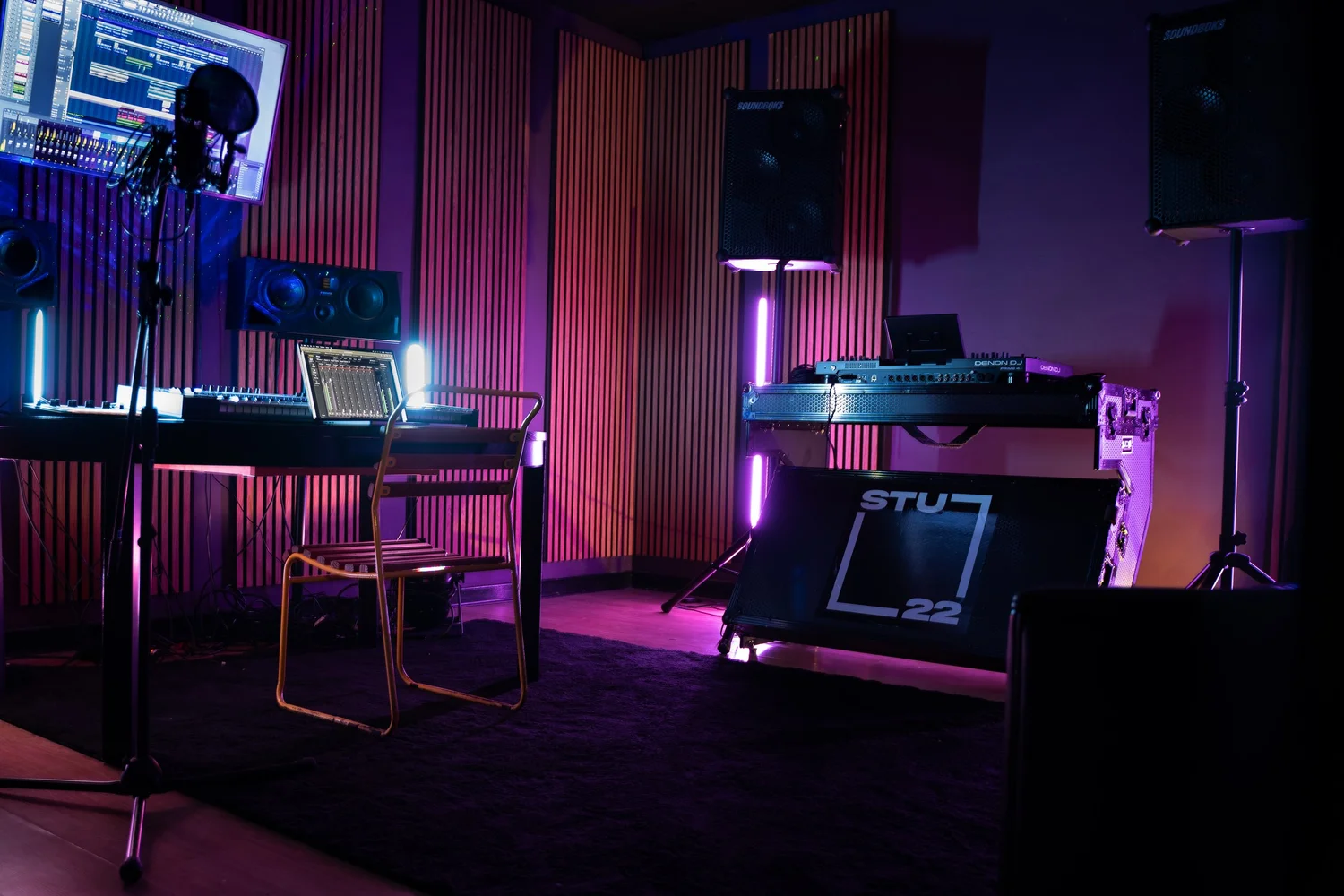
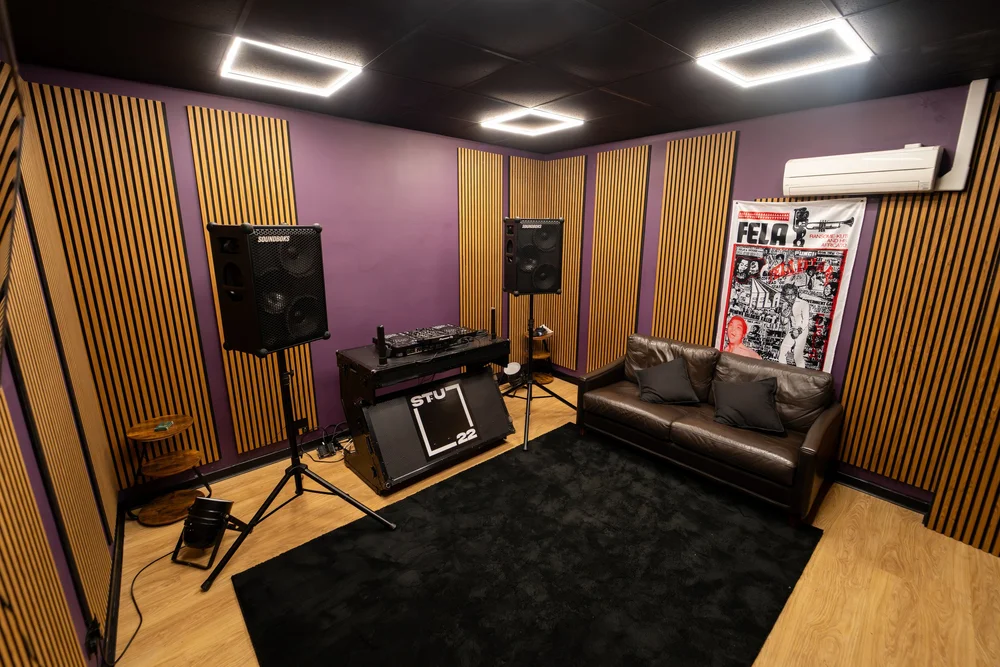
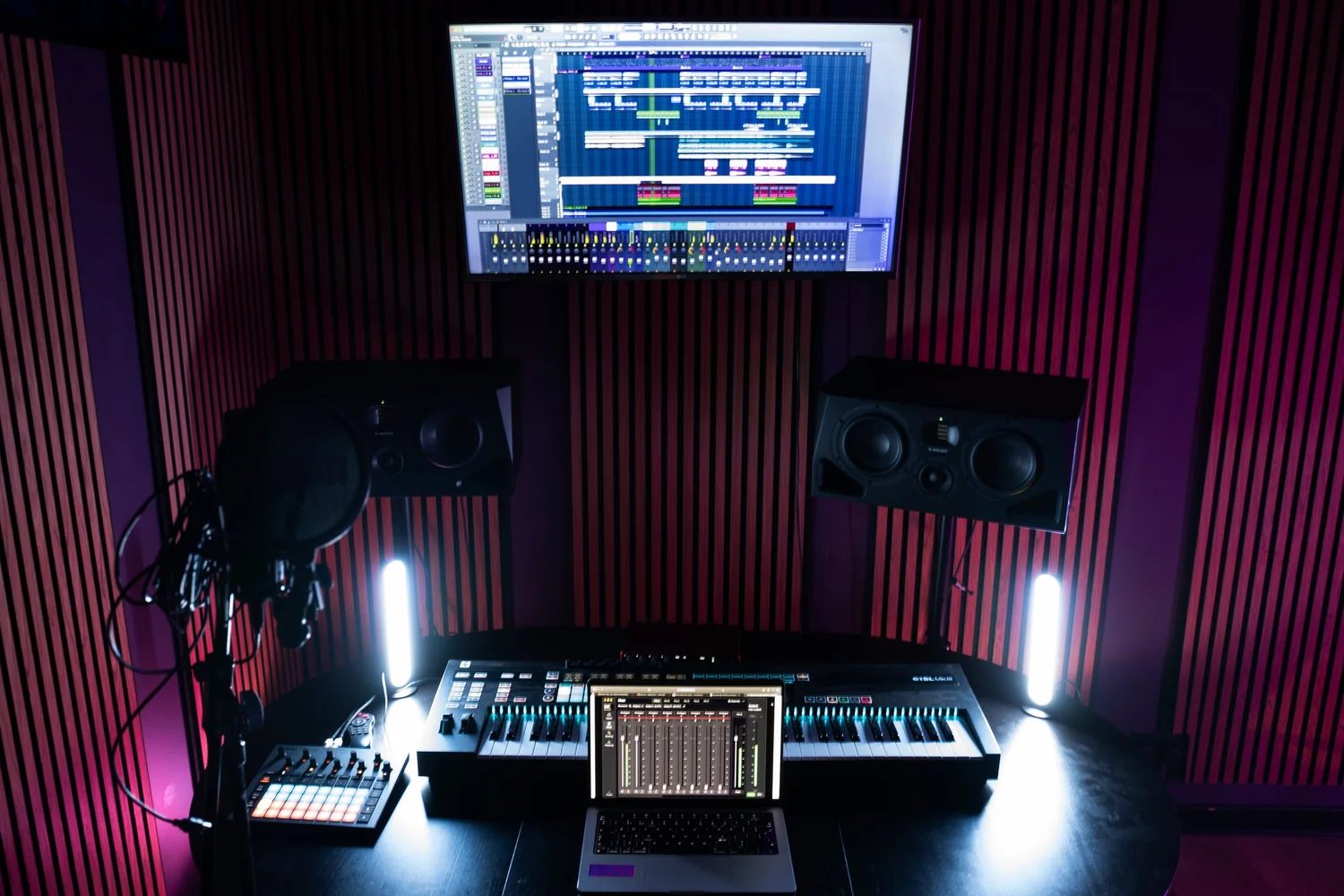
The Portal at STU 22, our music and DJ room in Wapping, East London, runs on Focusrite hardware as its backbone. The interface is a Scarlett 18i16. The monitors are ADAM Audio A77H. The room is professionally isolated and acoustically treated. Everything you need to walk in with a beat and leave with professional stems is here. This is not a bedroom setup with great intentions. It is a studio you hire hourly, the way studios work.
If you have recorded only at home, or if you have worked in rooms that made you feel uncertain about your sound, this tour will show you what the upgrade actually changes. We will walk the room piece by piece, explain what each bit of gear does in plain terms, and show you what a real three-hour session looks like from arrival to stems.
What a Focusrite Partner Studio Actually Means
A partner studio relationship is not a certification or an endorsement deal. It means a studio chooses Focusrite as its core interface and monitoring stack, and Focusrite recognises it as a room that runs their workflow. There are no hidden contractual benefits, no secret discount tier, no exclusivity clause. What it does mean: if you have recorded vocals or beats into a Scarlett at home, you understand how the inputs work, where your levels sit, what the output naming convention means, and how to route channels. You can walk into The Portal and find yourself on familiar hardware immediately.
For touring artists or producers moving between studios in London and beyond, this consistency is a real time-saver. You are not learning a new interface in your paid hour. You are not discovering that the monitoring setup interprets frequency differently than the last place. You know exactly what the Scarlett does, and it does the same thing here as it does everywhere else. That is the partnership.
Ready to record in a Focusrite partner studio?
The Portal is available from 1 hour minimum at £50 per hour plus VAT. Walk in with your beat, leave with stems.
Book the PortalThe Focusrite Scarlett 18i16: Your Command Centre
The Scarlett 18i16 is the interface everything else connects through. Think of it as the control room wall that was old technology, except it is the size of a small pizza box and sits on a desk. It has 18 inputs and 16 outputs. The input count matters because it means you can record eight simultaneous channels of audio (eight microphones or line-level instruments feeding at the same time), plus send a stereo mix to your speakers, plus send a headphone mix to your artist. Nothing compromises. Nobody waits for you to reset routing.
Practically, this is what happens in a session. You plug the RODE microphone into input one. You send the vocal track to output one and two (left and right). You send a headphone mix to output three and four. The beat is coming in either via USB from a laptop or from the Novation gear in the room, and the Scarlett routes that cleanly without latency issues. Eight different artists could record eight different takes simultaneously, all on separate channels, which happens here during group sessions.
What you cannot do in a bedroom: send eight independent headphone mixes, each tailored to what that person needs to hear. You cannot record a live drummer, bassist, and three background vocalists at the same time into separate channels without either summing them down (losing the ability to remix) or hoping your USB interface can actually handle it (most cannot). The Scarlett does not negotiate. It records everything clean, and lets you sort it in post.
ADAM Audio A77H Monitors: What Accurate Hearing Changes
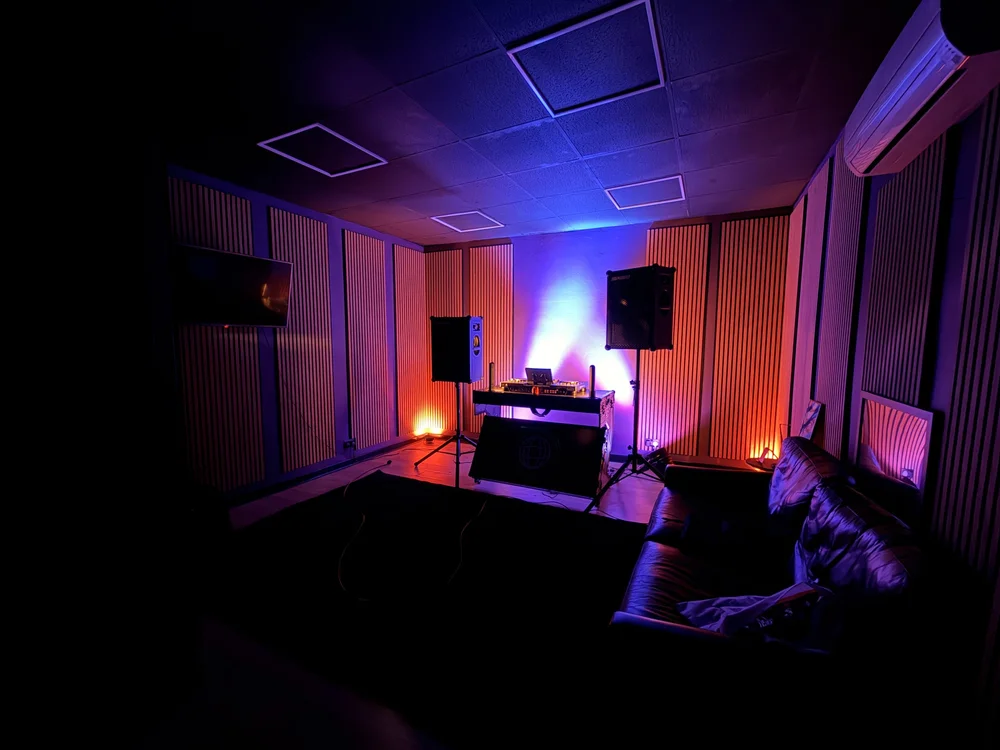
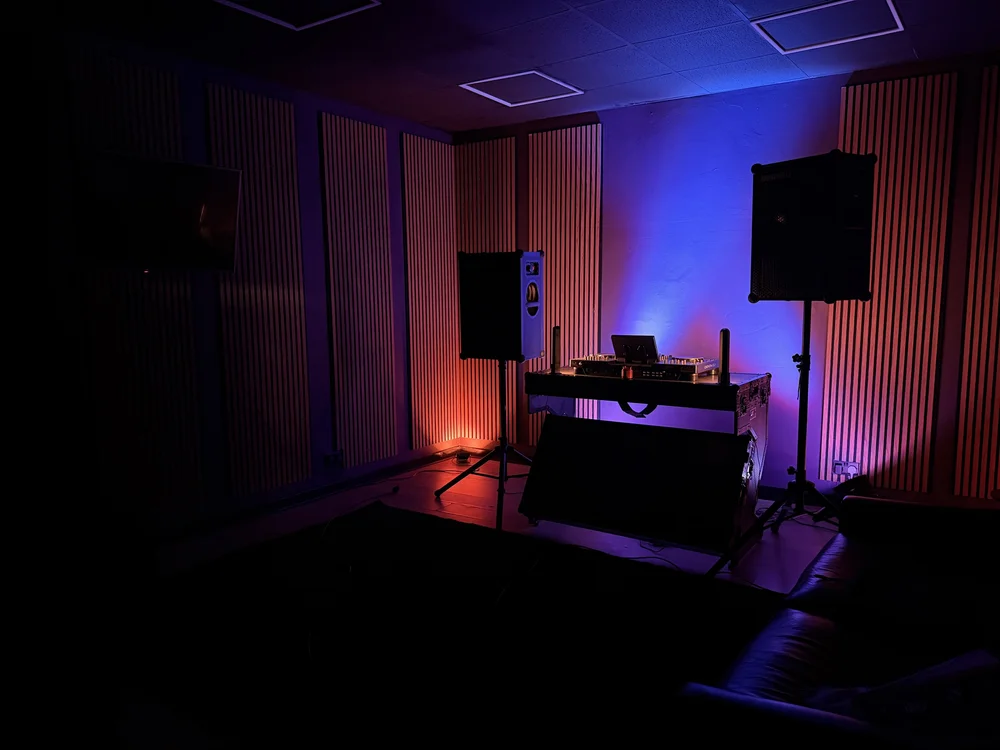
The moment you step into The Portal, you should listen to the difference between bedroom headphones or a laptop speaker and a pair of properly calibrated studio monitors. The ADAM Audio A77H are active monitors: they have built-in amplifiers, which means they deliver consistent volume and clarity without distortion. They also sit in a room that has been acoustically treated. There is full panelling on every wall and the ceiling. The room does not ring or flutter or create false bass buildup in the corners.
Accurate monitoring means you hear what is actually in your recording, not what the room is adding. At home, you might have a beat that sounds bright and punchy, but when you play it on studio headphones or a proper system, the high-end is too harsh. Or your vocals sound clean in your room but muddy on a car stereo. The ADAM monitors show you the truth. What you mix on them will translate to other speakers because you are not fighting room acoustics.
In practical terms: you bring a vocal take you tracked on your laptop at home. You play it back through the Portal's monitors. If it sounds good here, it will sound good everywhere. If there is a problem, you hear it immediately, and you can re-track while you are in the session with professional gear around you. You are not taking a guess home and discovering the problem four days later.
Mic and Vocal Recording: The RODE NT-USB and Beyond
The Portal has a RODE NT-USB microphone. This is a USB microphone, not a large-diaphragm condenser on a shockmount in a booth. It is compact, self-powered, and designed to go anywhere. It sits on a stand, you point it at your mouth, and you get a solid, usable vocal recording. The room isolation and acoustic panelling do the heavy lifting: there is no traffic noise, no keyboard clicks, no room echo. The mic just captures what you give it.
To get a professional vocal from the NT-USB, you need three things. First, mic technique: stay at a consistent distance (about 15 to 20 centimetres), speak across the mic rather than directly into it, and avoid plosives (the hard puff of air when you say 'p' or 'b'). The room's acoustic panelling already handles the second part (absorbing reflections). Third is gain staging: set your input level so the peak of your loudest word sits at around -12 to -6 dB on the Scarlett's meter. Too quiet and you will have to turn it up later, adding noise. Too loud and you will clip the digital signal, which is irreversible.
If the NT-USB is not what you want to use, you can bring your own microphone. Plug it into a preamp or interface that sits between the mic and the Scarlett, and route the output into one of the Scarlett's line inputs. Hundreds of artists do this. The Scarlett has the inputs to spare.
Want to hear the room before you book?
Message us on WhatsApp to arrange a time to visit The Portal and record a test take. Hear exactly what the gear sounds like with your voice in the space.
Chat on WhatsAppNovation Gear: Beat-Making and Keyboard Playing in the Room
The Portal has two pieces of Novation gear: a 61SL MkIII keyboard controller and a Circuit Rhythm groovebox. The keyboard is a controller, meaning it sends MIDI data (instructions for notes, velocity, timing) to instruments on your laptop or to external synths. The Circuit Rhythm is a standalone device that has sounds built-in, a 16-pad interface for beatmaking, and a sampler so you can chop up vocal phrases or drum breaks and rearrange them.
If you are writing a beat in the room, the Circuit Rhythm lets you sketch ideas, record patterns, and export stems without opening a laptop. You can play keys on the 61SL, trigger drums on the Circuit, record the performance into the Scarlett, and have takes that are ready to mix. The keyboard is also essential for artists who want to play a real instrument into their beat, whether that is a melody line, a keys riff, or a guide part for collaboration.
What this means for you: you are not confined to the beat you brought in on a USB drive. If the beat is too slow or too high, you can load it on the 61SL and find a key that suits your voice. If you want to add a live element, or if you want to try a different arrangement, the gear is here and ready. The room becomes a creative space, not just a recording booth.
Denon DJ Prime Decks and SOUNDBOKS: The DJ Side
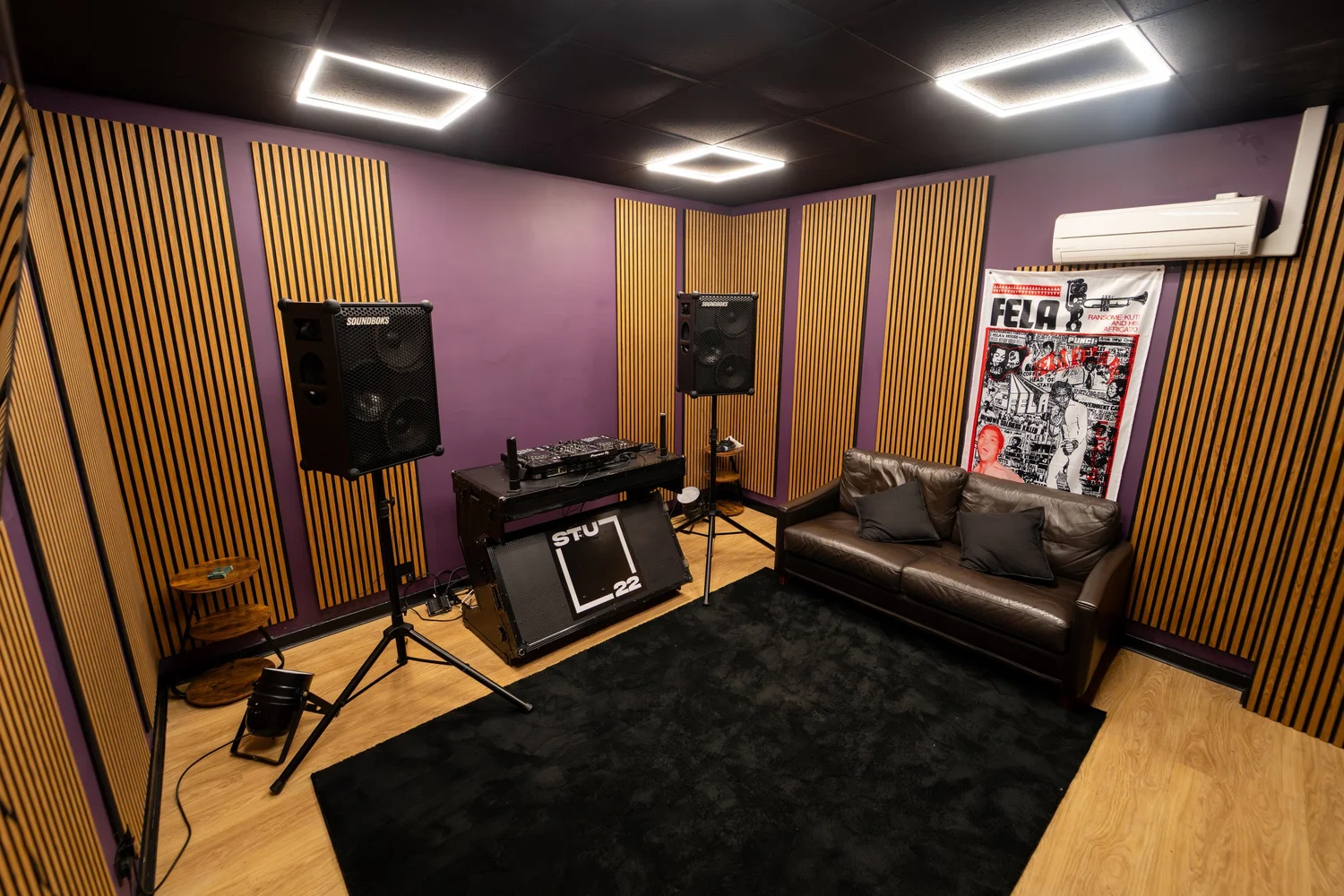
The Portal also houses Denon DJ Prime decks and two SOUNDBOKS Gen 4 speakers. The decks are fully digital controllers, which means you can play files from USB, control effects, and mix tracks without vinyl. The SOUNDBOKS speakers are outdoor-grade sound systems, loud and clear enough to test a mix or run a live DJ set in a space with real acoustics around you.
If you are a DJ or producer who wants to test a track at full volume in a proper room environment before playing it out, this is where you do that. You cannot do this at home. A home system at club volume will trigger noise complaints and give you hearing fatigue. The Portal's isolation means you can blast a mix and hear how it sits in a real acoustic space.
Acoustics, Isolation, and Why the Room Matters More Than You Think
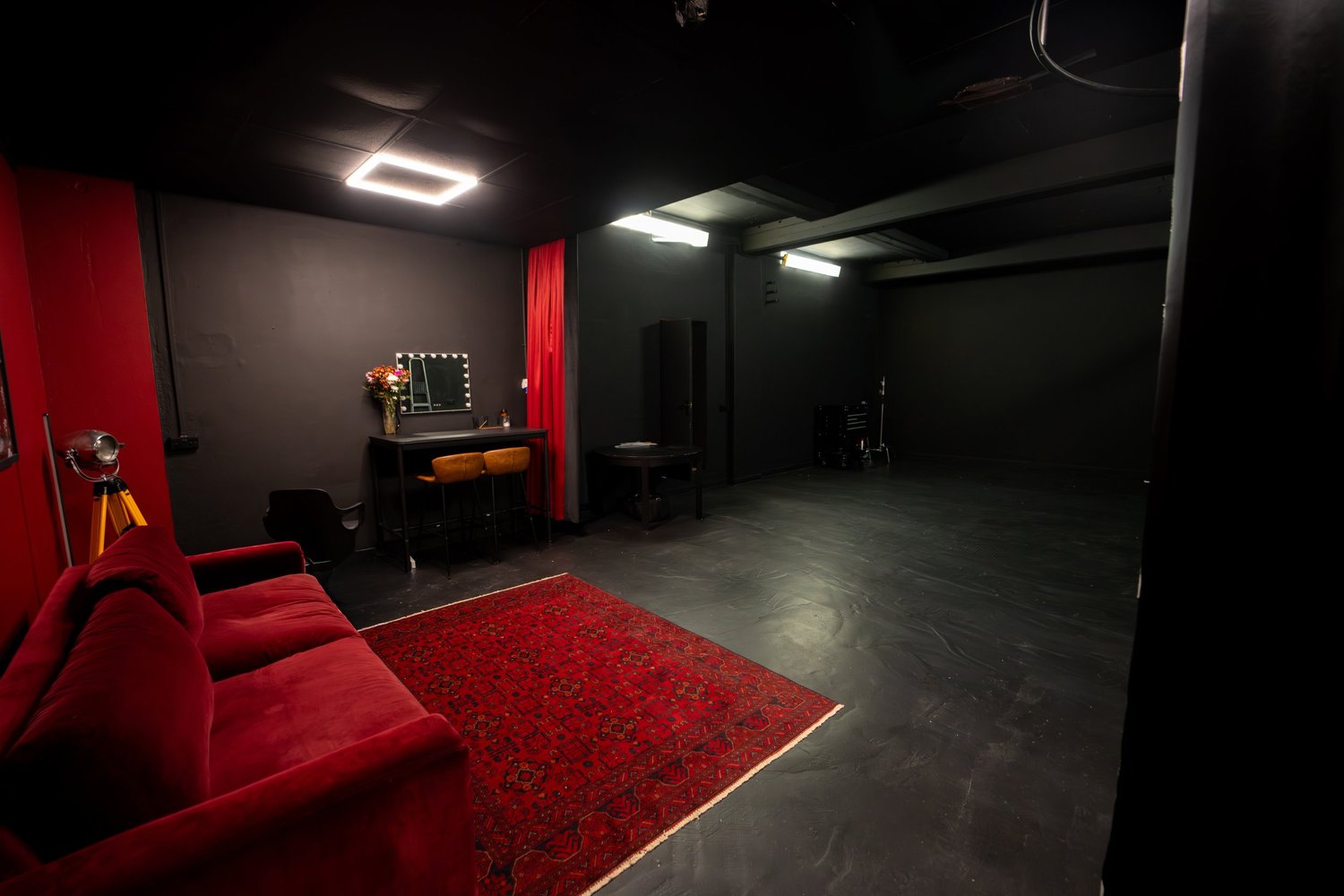
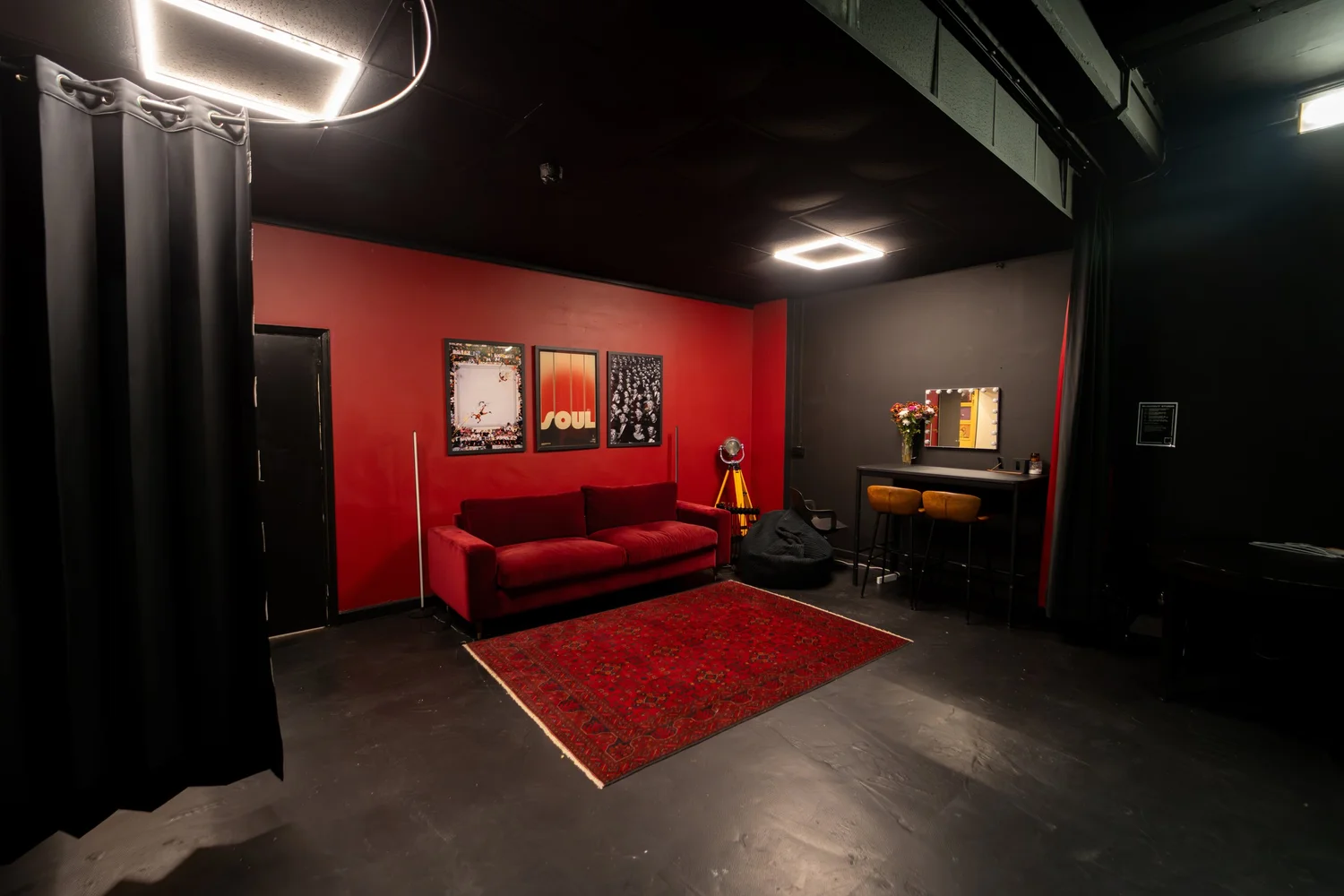
The Portal is fully acoustically treated. Every wall and the ceiling have isolation panelling. The room is isolated from the rest of the building, which means late-night sessions do not bleed into other spaces, and you do not hear street noise or footsteps above you. For a room in Wapping, metres from the Thames and a five-minute walk from Wapping Overground station, that is a serious acoustic achievement.
What this means in practice: if you record a vocal here and play it back on headphones in a different room, it will sound the same as it did in the session. At home, your voice might sound boxy or echoey because of room reflections. Here, the panelling absorbs those reflections. You hear clean, direct sound. The vocal sits in the mix naturally, not fighting against the space.
Isolation also means you can track during quieter hours (2am, 3am, 4am) without worrying about disturbing neighbours. STU 22 holds a 24-hour premises licence. If you are in your recording zone and midnight has passed, the Portal is available. That is rare for affordable professional space in East London.
Lighting and Display: The Working Environment
The Portal has adjustable purple and blue LED lighting and a large display screen. The lighting sets the mood and helps focus your energy. The screen displays your DAW (Digital Audio Workstation, the software where you record and mix), your beat, lyrics notes, or a reference track. You can have visual feedback on what is happening while you perform, which is especially useful if you are singing over a beat and need to see the bar line or a cue point.
The screen also means you are not hunched over a laptop keyboard and trackpad while trying to sing or play. Your performance position is separate from your technical workspace. You can see and hear the full picture.
Home Studio vs Professional Studio: What Changes
The differences between recording at home and recording in The Portal come down to five things: acoustic environment, monitoring, isolation, redundancy, and focus.
At home, you record in the space you sleep in. It has a hard floor, windows, and echoes. The monitors are probably headphones or a pair of consumer speakers. If something breaks, you stop. There is no backup mic, no second keyboard, no plan B. And your attention is split between recording and the dozen other things happening in your room or in your life outside the window.
In The Portal, everything is designed for recording. The acoustics are intentional. The monitors are calibrated. If the RODE mic cuts out, you have the option to bring your own and plug it in. The lighting and isolation create a psychological shift: this is a place where your work matters. You arrive, focus for three hours, and leave with stems. The room is not where you sleep or eat or scroll through your phone. It is where you make records.
For a self-releasing artist or a small-label rapper, that shift in environment typically means one level-up in recording quality. Not because the Portal's gear is exotic (it is not, and that is the point: it is the industry standard), but because you are using it in an environment designed for that purpose, and you are not making compromises on monitoring or isolation.
The Gear Breakdown: What You Are Actually Using
| Item | What It Does | Why It Matters to You |
|---|---|---|
| Focusrite Scarlett 18i16 | Converts your voice and instruments into digital audio, routes signals in and out of the room, handles monitoring mixes | Eight simultaneous recording channels means you can capture multiple takes or live layers without losing any to bus summing. Same interface you might have used at home, so the workflow is familiar |
| ADAM Audio A77H Monitors | Amplified speakers that reveal exactly what is in your mix without colouration or room acoustics lying to you | What you mix on these monitors will sound good on headphones, car speakers, and club systems. No surprises after the session |
| RODE NT-USB Microphone | Captures your vocal or instrument performance with minimal background noise | Ready to use, no extra gear needed. Industry standard. Or bring your own mic and plug it in via a preamp if you have a preference |
| Novation 61SL MkIII | MIDI keyboard that lets you play synths, adjust keys, and add real instrumentation to a beat | Record a live melody or chop an arrangement in real-time. Makes a pre-made beat feel tailored to your voice and style |
| Novation Circuit Rhythm | Standalone groove station with sounds, sampler, and 16 pads for beat-making or adding percussion layers | Sketch a beat, chop samples, or record drum fills without leaving the room or opening your laptop. Export stems of your performance |
| Denon DJ Prime Decks | Digital turntables for mixing tracks or testing how a song sits in a DJ set context | Test your production at full volume in a proper acoustic space. No feedback from neighbours. No guessing how it will play out |
| SOUNDBOKS Gen 4 Speakers | Loud, clear outdoor-grade speakers for testing mixes at full volume and real-world playback conditions | Hear how your bass sits, if your mix is loud enough, and if the arrangement translates to a club or live environment |
| Acoustic Panelling and Room Isolation | Absorption and isolation that eliminate reflections, echo, and outside noise | Your vocal sits clean and dry. The room does not add character or muddy the sound. Late-night sessions do not disturb others |
| Large Display Screen | Lets you see your DAW, beat, lyrics, or a reference track while you perform or engineer | Better eye contact with the technical side of the session. Separate workspace from performance area. Cue points and bar lines visible while you sing |
| Adjustable Purple and Blue Lighting | Sets mood and creates a professional, focused environment for performance | Psychology matters. A proper studio environment puts you in recording mode. The lighting is part of that shift |
A Real Three-Hour Session: From Beat to Stems
This is what actually happens when you book The Portal for three hours. It is 10 am. You arrive at 8-10 Sampson Street, Wapping, with your beat on a USB drive and a printed sheet of lyrics. The building is ground floor load-in, no stairs. Street parking is available if you are driving. Wapping Overground station is five minutes walk away. You walk into the Portal ten minutes early to listen to the beat on the monitors, get a feel for the space, and let your ears acclimatise.
10:15 am. You plug your USB drive into the Scarlett. The beat plays through the ADAM A77H monitors at a comfortable level. The room is silent except for the music. You can hear every detail: the hi-hat pattern, the snare timing, the low end. This is not what you heard on your laptop. You ask to turn it up slightly, and your engineer (or you, if you are working self-directed) adjusts the gain on the output. You listen for vocal space: is there room in the mix for your voice, or is the beat too dense? You identify that the beat is a half-step higher than you want to sing in, so you load the 61SL, transpose the file down a semitone, and re-export it back into the interface.
10:45 am. The RODE NT-USB is on a stand in front of you. You stand at a comfortable distance (about 15 to 20 centimetres), speak across the mic rather than into it, and do a level check. Your loudest phrase peaks at about -9 dB on the Scarlett's input meter. Perfect. You do a dry run take of the hook without recording, just to feel the energy in the room and make sure the headphone mix is right: beat in one ear, a bit of your own voice so you can monitor yourself. You hit record and lay down take one of the hook. Three takes total. You listen back on the monitors. Take two is the cleanest. You mark it.
11:30 am. First verse. You record four takes. Between takes, the engineer (or you) checks the gain, listens for any noise, and makes sure the digital peak is still in the -9 to -6 dB range. Take three has the best energy. You mark it. You ask for a playback of the hook and take three together. You listen. The hook works. The verse sits under it. You move on.
12:15 pm. Second verse. Three more takes. You are warmed up, so this round is tighter. You like take one and take two equally, so you mark both. You know you will choose between them later, or you might comp them (take the best part of each take and splice them together in editing). Vocal tracking is done. You have four files: hook, verse one, verse two comp 1, verse two comp 2.
12:45 pm. You route the vocal files to an audio track and listen to the full arrangement for the first time: beat, hook, verse one, verse two. One pass through. The Portal's monitors let you hear the bottom end clearly. You notice the low-mid is a bit thick, so you make a note to EQ that in the next stage. You ask to export stems: beat on one stem, vocals on another, everything bounced at 24-bit / 48kHz. Your engineer exports them. Three files on your USB drive. You listen to them on a final pass through the monitors. Everything sounds good.
1:15 pm. You pack up. You have three hours of recording time, and you used two hours 15 minutes of it to record, listen back, and export. The rest was setup, level checks, and playback. On a laptop at home, that same session would have taken five hours because you would be fighting acoustic issues, restarting takes because of background noise, and second-guessing your levels. In The Portal, you trust the environment. You record. You move forward. You leave with stems that are ready for a mix engineer or ready for you to mix yourself at home. Our walkthrough of vocal recording and production techniques covers exactly how to get those takes sounding broadcast ready, and if you need press shots or a music video to go with the record, the Blackout studio is in the same building.
Book a session like this one.
The Portal is £50 per hour plus VAT for music studio time. Ground floor access, late nights welcome via 24-hour licence. Available from one hour minimum.
Book the PortalLocation and Logistics: Why Wapping Matters
STU 22 is in Wapping, which is central to East London but feels quieter than Shoreditch or Hackney. Tower Hamlets and Whitechapel are nearby. Canary Wharf is across the river. The location is part of the advantage. Wapping Overground is five minutes walk. Shadwell DLR is seven minutes. If you are travelling from North London, South London, or the City, you can get here without losing an hour to the Tube. Street parking is available. The building is walkable from the nearest stations, which matters if you are carrying heavy gear.
Ground floor load-in means you do not carry a flight case up four flights of stairs. You do not wait for a lift. You walk in, unload, set up, and start recording. Multiple 13A sockets mean you can power the Scarlett, ADAM monitors, keyboards, and lights without jury-rigging extension cords.
The Portal vs Other Recording Options in London
If you have recorded only at home, the main comparison is: what do you gain by coming into a studio? The answer is accuracy. At home, you own the room but you do not control it. You work around the acoustics. In The Portal, the acoustics work for you. The room is professionally treated, isolated, and designed for recording.
If you have already booked time in other professional studios in London, The Portal offers the Focusrite workflow (same interface as thousands of other studios), professional acoustics at an affordable rate (£50 per hour plus VAT), and a modern, focused environment with Novation and ADAM gear. You do not pay for an in-house engineer or a mixing service you do not need. You pay for the room and the gear.
What You Cannot Get in the Portal (And That Is Okay)
The Portal does not have an in-house engineer, mixing service, or mastering suite. It does not come with outboard compressors, preamps, or a vintage microphone collection. It is not a full production house. It is a recording studio with professional core gear and a treated acoustic environment. You come in, you record, you leave with clean stems that are ready for you to mix or for you to hand to a mix engineer elsewhere.
Many artists prefer this model. You are not paying for services you do not need. You are paying for the space and the tools. If you have a mix engineer you already trust, you book two hours in the Portal to record, then send stems to them. Your total cost is lower than booking a full-service studio where the engineer is a bundled cost.
FAQ
Can I bring my own microphone?
Yes. The RODE NT-USB is there and ready to use, but if you have your own mic, you can plug it into a preamp or audio interface that connects to one of the Scarlett's line inputs. The Scarlett has eight line inputs plus four mic inputs, so there is plenty of flexibility.
What if I want to record a band or multiple people at once?
The Scarlett has eight mic inputs and four line inputs (12 recording channels total, though typically you record eight simultaneous channels). You can record eight people performing live at the same time, each on a separate track. Everyone gets their own headphone mix through the Scarlett's output routing. The Portal is set up for this exactly.
How late can I book The Portal?
STU 22 holds a 24-hour premises licence. You can book the Portal at 2am, 3am, or 4am if you want. Ground floor load-in, no neighbours to disturb in other rooms (the Portal is isolated), so late-night sessions are completely viable.
Do I need to know how to use a Scarlett interface?
If you have used one before, great: the workflow is identical. If you have not, you can learn it in about fifteen minutes. Inputs go in on the left side of the software, outputs on the right. Gain staging is the same logic as every other interface. The room staff can walk you through the basic setup before you start recording.
What file format do the stems come out in?
WAV files at 24-bit / 48 kHz, which is the professional standard. You can work with these in any DAW (Ableton, Logic, FL Studio, Pro Tools, anything). They are also robust for archiving and mastering.
Can I record a beat while I am there?
Yes. The Novation Circuit Rhythm can sketch a beat, add samples, and export stems. If you want to lay down a beat and then record vocals over it in the same session, you can absolutely do that. Plan your time accordingly.
Is the Portal just for hip-hop and rap?
No. The gear suits any genre: singer-songwriter, jazz, rock, electronic, grime, drill, Afrobeats, anything. If you need to record vocals or instruments into a computer with professional monitoring and isolation, the Portal works for you.
Comparison with Other Recording Options in East London
Many independent artists in London have a choice: record at home, book a producer who has a private studio, hire a full-service recording studio, or find a music studio to hire in East London. Each has a different cost structure and workflow. Recording at home saves money but costs you control. A producer's studio bundles engineering and production, which is great if you want that, but that bundling commonly adds a few hundred pounds to your session. A full-service studio includes an engineer, but you pay a premium rate for it, often well north of £100 per hour. The Portal is the middle option: professional gear, treated acoustics, ground floor access in Wapping, no bundled services, and transparent pricing at £50 per hour plus VAT. If you want to see how the room sits against the wider market, read our guide to how to choose a music studio in London, and if you are booking your very first session, start with how to record your first track in London.
Why the Focusrite Partnership Wins on Workflow
You might find cheaper music studios to hire in East London or Shoreditch. You might find studios with more expensive gear. But the Focusrite partnership has a real benefit: consistency. A Focusrite Scarlett 18i16 works the same way whether you are at home, in The Portal, or in Abbey Road Studios. The input architecture is identical. The output routing is identical. The headphone mix hierarchy is identical. If you work regularly, this means you spend zero time learning a new interface every time you change locations.
That efficiency is especially valuable if you are self-releasing or on a small label and paying by the hour. Every minute you spend learning new software or reconfiguring levels is money off your actual recording time. In The Portal, you arrive knowing the Scarlett inside out. You hit record. You make the record.
Next Steps: Your First Session in The Portal
If you are ready to step up from home recording, or if you are shopping for a better room in East London, visit the Portal page for full details and booking. The minimum booking is one hour at £50 plus VAT. Most artists do two to four hours per session. Book a time that suits you, arrive with your beat and your lyrics, and leave with stems.
If you want to visit first and hear the room before committing, message on WhatsApp. We can arrange a time for you to walk through, ask questions, and record a quick test take to hear exactly what the Portal sounds like with your voice.
Book your session now.
The Portal is a Focusrite partner studio in Wapping, East London. £50 per hour plus VAT. Ground floor, 24-hour licence, professional gear, isolation, accurate monitoring. Ready when you are.
Book the Portal